What is time and sales?
By MichaelUpdated August 27, 2026
Time and sales is a running list of every trade as it executes, newest first. Each line carries the price, the size and the time, colored by which side crossed the spread, so the raw stream of what is actually happening in a market can be read directly.
How does time and sales work?
Every trade that prints on an exchange is one line. Price, size, timestamp, and which side was the aggressor: that is the whole record, and it is the most granular view of a market that exists.
Everything else is built from it. Volume is this list summed. Volume delta is it split by side and netted. A footprint is it organized by price within a bar. Each of those is a compression, and each throws away detail in exchange for legibility.
Reading the list itself keeps the detail. You see the individual orders arriving rather than their total: a run of small sells, then one large buy, then nothing for several seconds. That sequence is information a candle cannot preserve, because by the time a bar closes it has been reduced to four prices and a sum.
Traders call it the tape, and reading it is called tape reading. It is the oldest form of market analysis there is, predating charts entirely, and it survives because nothing else shows you the market at this resolution.
How do you read the tape?
Not line by line. In an active market the list moves faster than anyone can read, and trying to follow every print is how people conclude the tape is useless.
Read it for pattern instead.
Rhythm. Steady, evenly spaced prints describe a different market from long pauses broken by bursts. Both can produce the same candle.
Size distribution. A stream of small trades is a crowd. A few large ones are a participant. That distinction matters more than the total, because a crowd and a participant behave differently next.
Which side is repeating. A long run of prints in one color is one side doing all the taking. Watching that develop tells you sooner than any indicator built on completed bars.
Reaction at a level. When price reaches somewhere you care about, the tape shows whether the response was instant and heavy or slow and thin. That is often the difference between a break that holds and one that fails.
The pauses. A market that goes quiet at an extreme is a market where nobody wants to act, which is its own signal.
What are the limits of the tape?
It demands attention. The tape exists only while you are watching it. Look away and it is gone.
Most of it is noise. Reading it well means ignoring almost everything that goes past, and that takes practice.
It has no shape. A list carries no history you can scan. For that you need a chart, and the tape is a complement to one rather than a replacement.
It is venue-specific. One exchange’s tape is one exchange’s participants, unless you aggregate.
Size is not intent. A large print tells you somebody wanted it done immediately. It does not tell you whether that was an entry, an exit, a hedge or a liquidation.
Related: Tape reading · Volume delta · CVD · DOM · Order book
Using the Trades widget in MMT
MMT’s Trades widget is the tape: a live list of executions, newest at the top, with the exchange, price, size and time on each line. Rows are colored by side and shaded by size, so the significant prints separate themselves without being read.
How do you add the Trades widget?
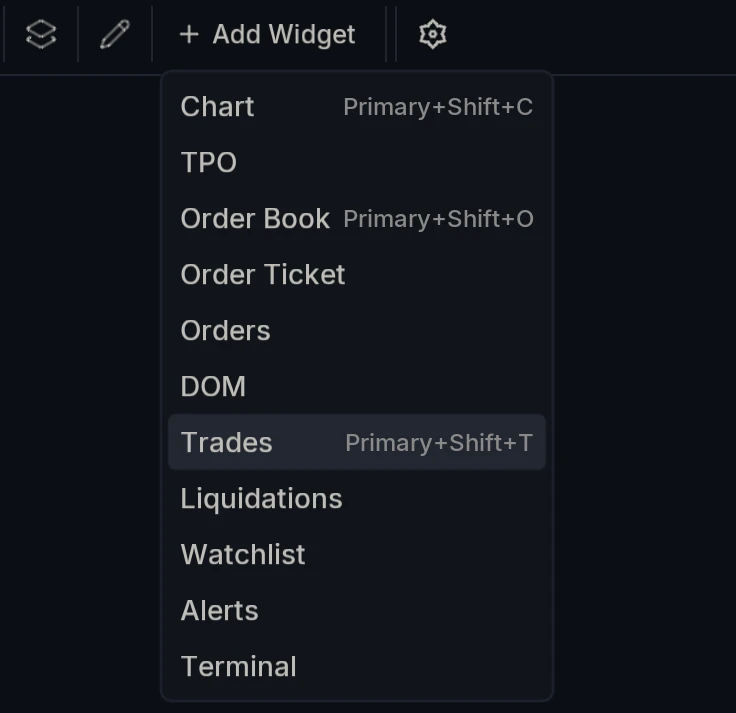
Open Add Widget and choose Trades, or press Primary+Shift+T.
What do the columns show?
Each row carries the exchange it came from, the Price it executed at, the Size, and the Time to the second.
Color does the work. Buys are drawn in the up color and sells in the down color, so the balance of the stream is visible without reading a single figure. Rows are also shaded by size, which is what lets a large print announce itself in a list that is otherwise moving too fast to follow.
How do you filter out the small trades?
Filter on the toolbar opens a Minimum size box. Set a value and only trades at or above that size appear in the list; everything smaller is dropped entirely.
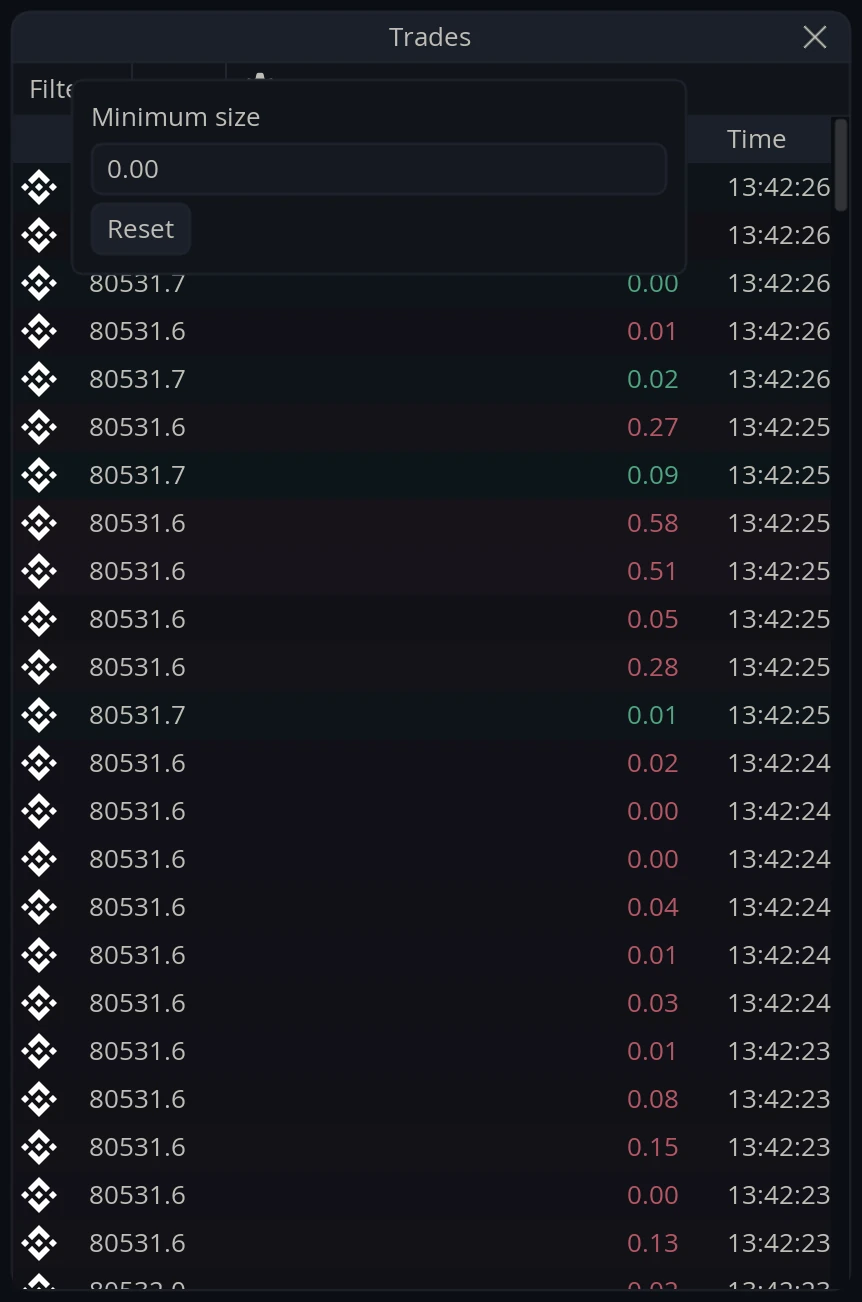
This is the setting that decides what the widget is for. Unfiltered, it is a picture of everything happening, which in a busy market is a great deal of movement. Filtered to size, the retail-shaped chatter disappears and what remains is the flow of larger participants, which is a far smaller list and a much easier one to read.
Reset clears it back to zero.
Coin or USD?
The unit toggle switches sizes between the base Coin and USD.
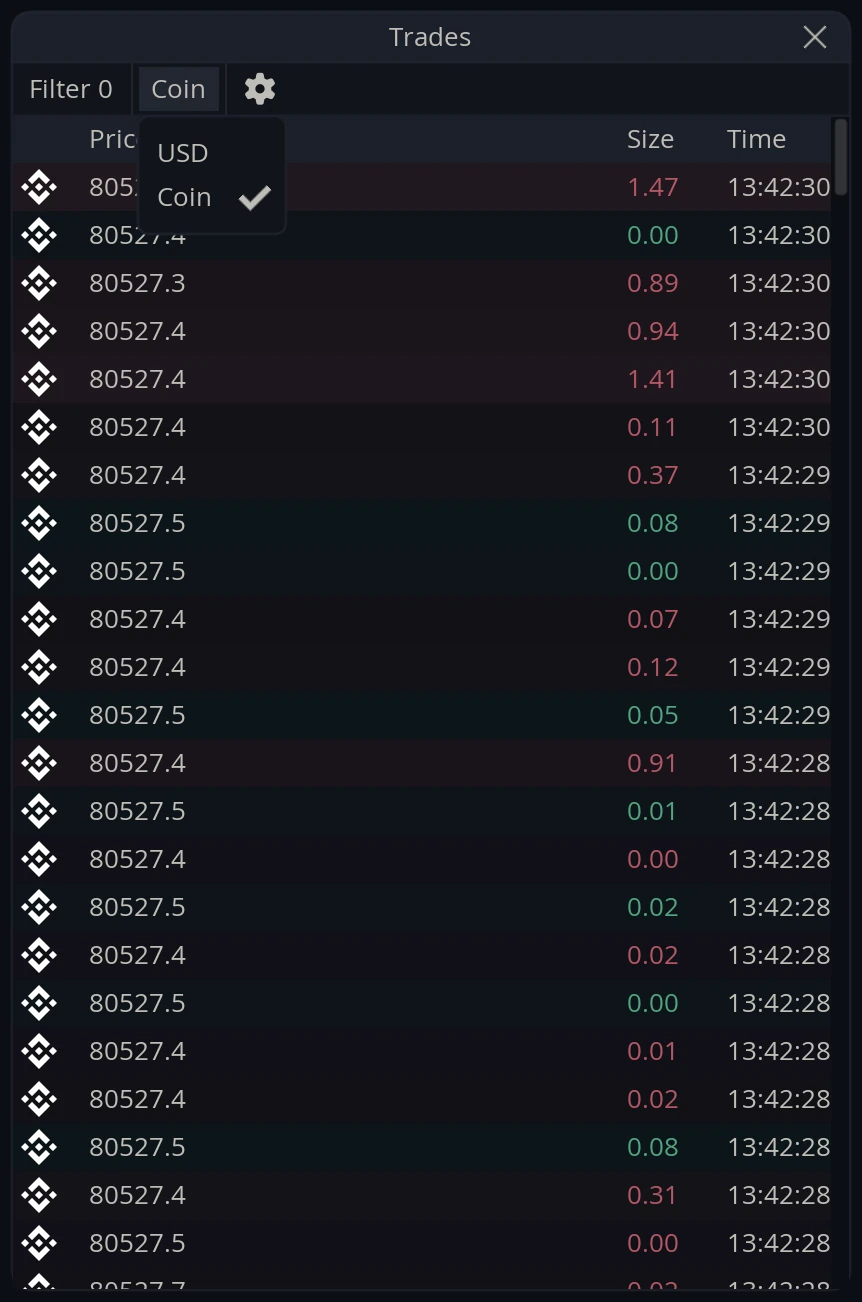
USD is usually the better choice when filtering, since a size threshold in dollars means the same thing across markets.
What are the audio alerts?
The widget can play a sound as trades arrive, which turns the tape into something you can monitor without watching it. This is audio flow: you hear the market’s activity while your attention is on something else.
Audio threshold sets the smallest trade that makes any sound at all. Level 1 through Level 4 are size tiers above it, so larger trades are distinguishable from smaller ones by ear rather than by eye.
Set sensibly, the effect is that ordinary activity stays quiet and genuine size announces itself. It is the same job the size filter does visually, done for your ears.
Can you combine exchanges?
Yes. Markets in the settings pools several venues into one list, grouped into Spot, Futures and Coin Perps, with your chart’s own market tagged current.
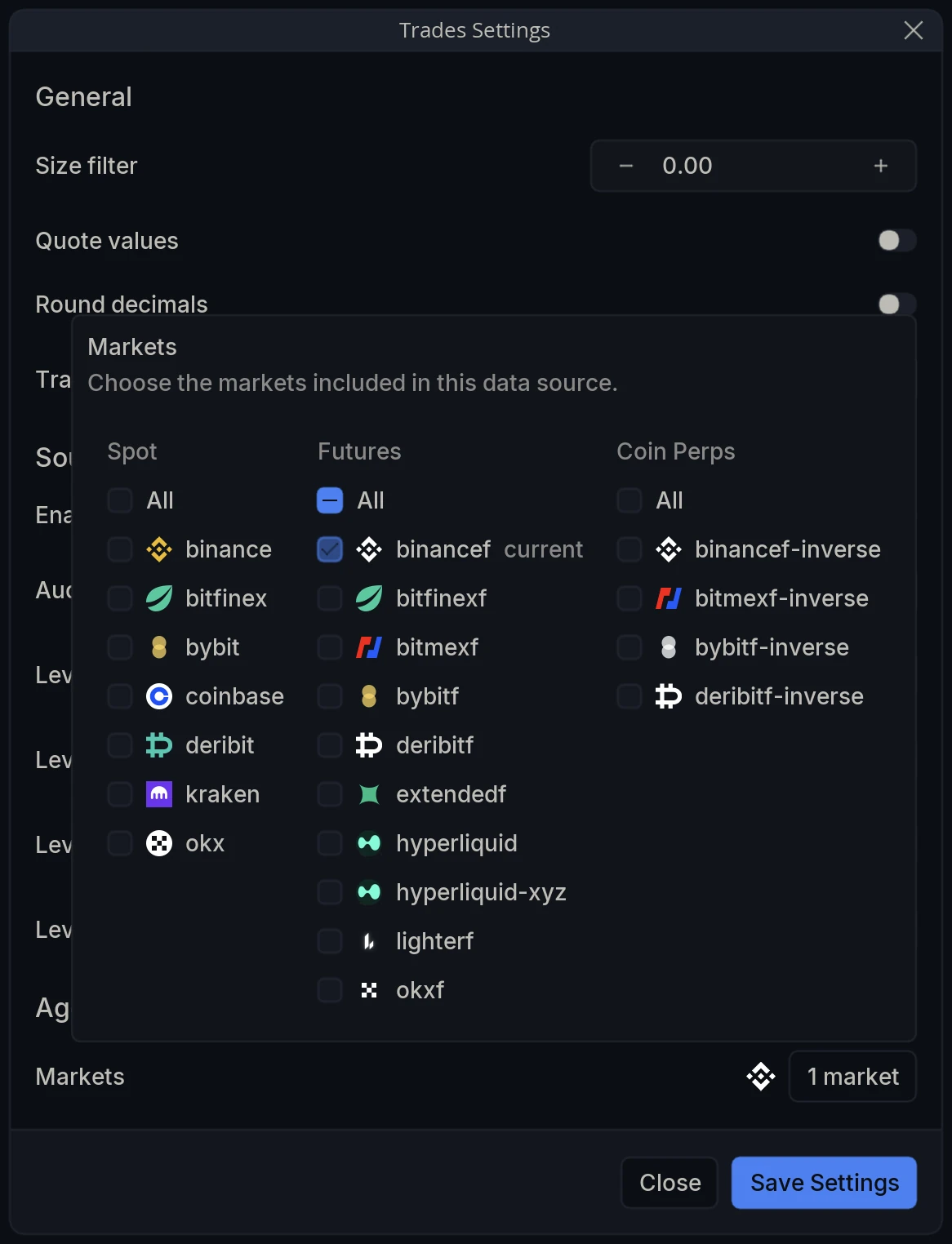
Aggregating changes the widget’s character. One venue is a readable stream; several combined is a much fuller picture of what the market as a whole is doing, at the cost of moving considerably faster.
Widget Settings
Open Trades Settings via the cog on the widget’s toolbar.
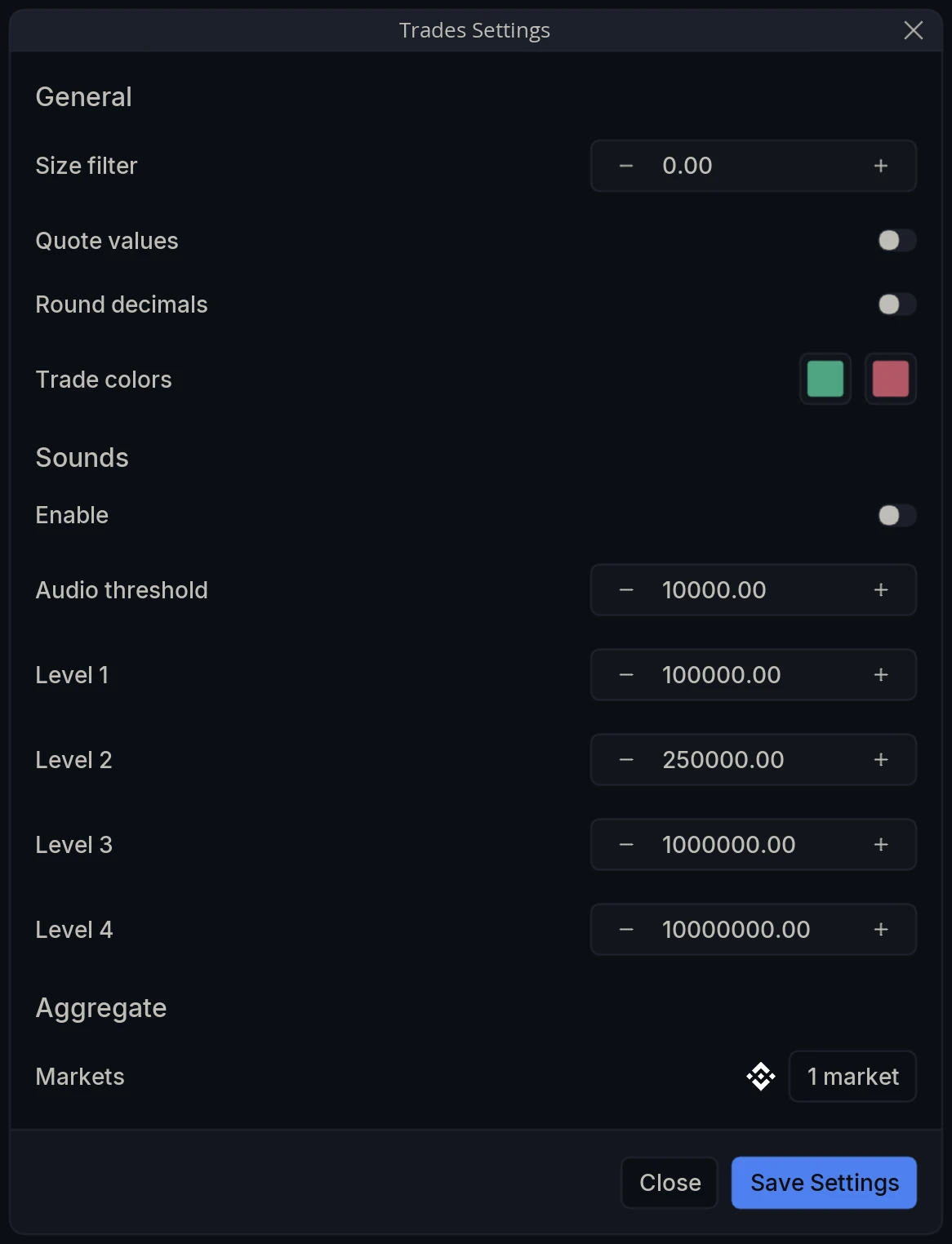
General
Size filter - The smallest trade shown in the list. Everything below it is excluded.
Quote values - Report sizes in the quote currency rather than the base asset.
Round decimals - Round the printed figures.
Trade colors - The two colors used for buys and sells.
Sounds
Enable - Turn audio flow on.
Audio threshold - The smallest trade that produces a sound.
Level 1 / Level 2 / Level 3 / Level 4 - Size tiers above the threshold, so larger trades sound different from smaller ones.
Aggregate
Markets - Choose which exchanges are included in the feed.