Everyone else charts the candle.
We chart the order flow.
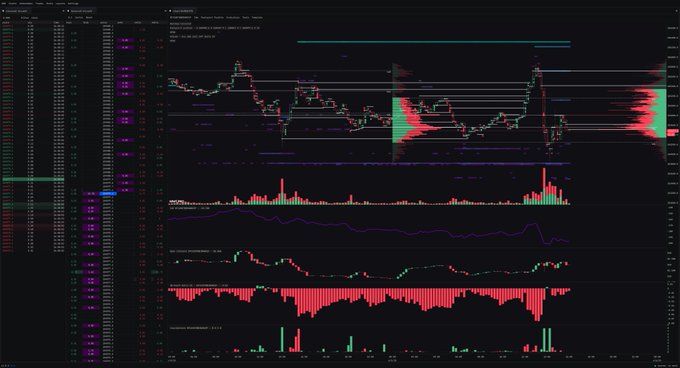
A browser terminal for real order flow: footprint, heatmaps, liquidations, and CVD across 20+ exchanges. Start free, no card.
- 200K+
- Traders
- 20+
- Exchanges
- 1000+
- Community Indicators
- 15K+
- Stars Given
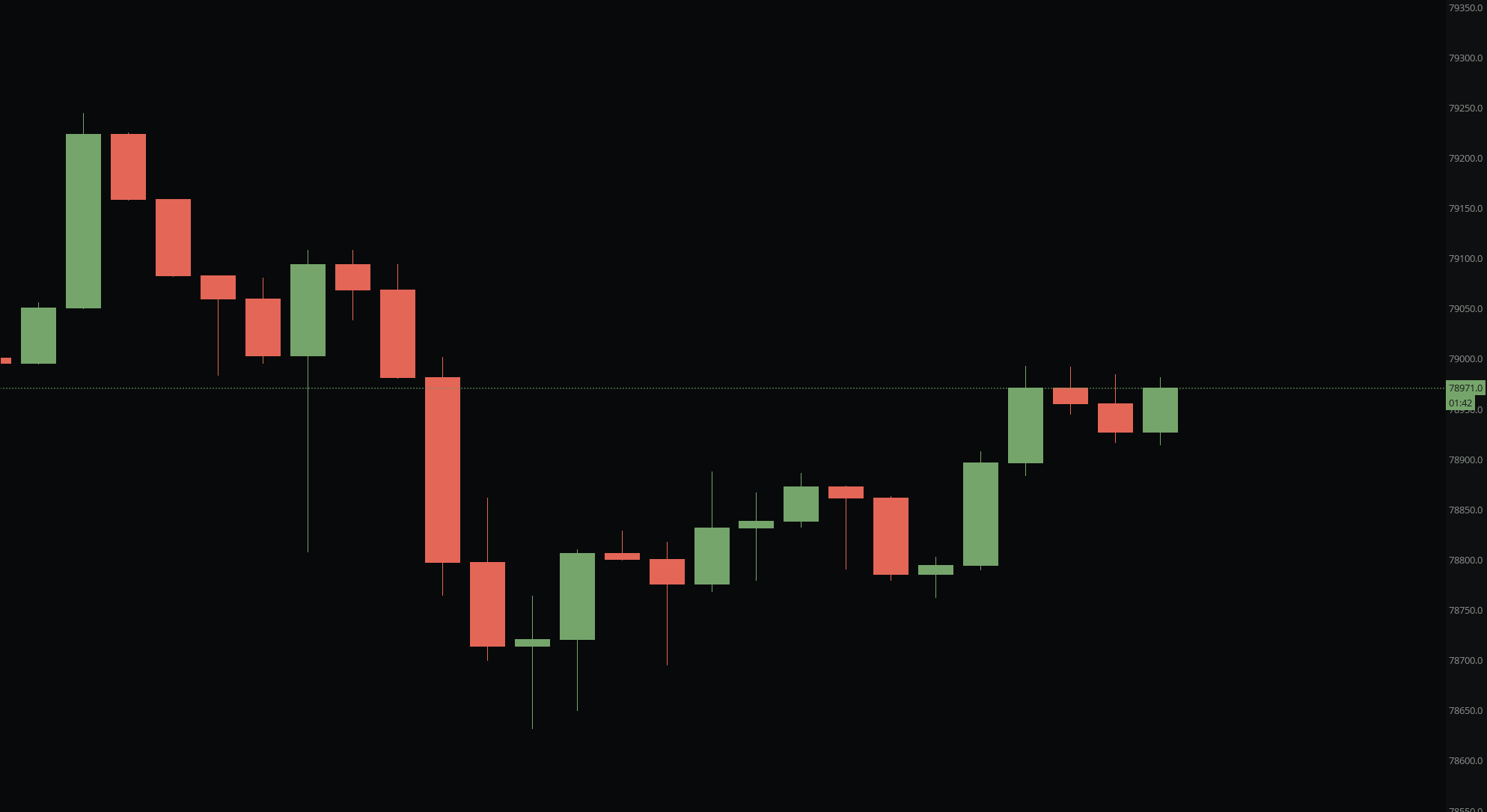
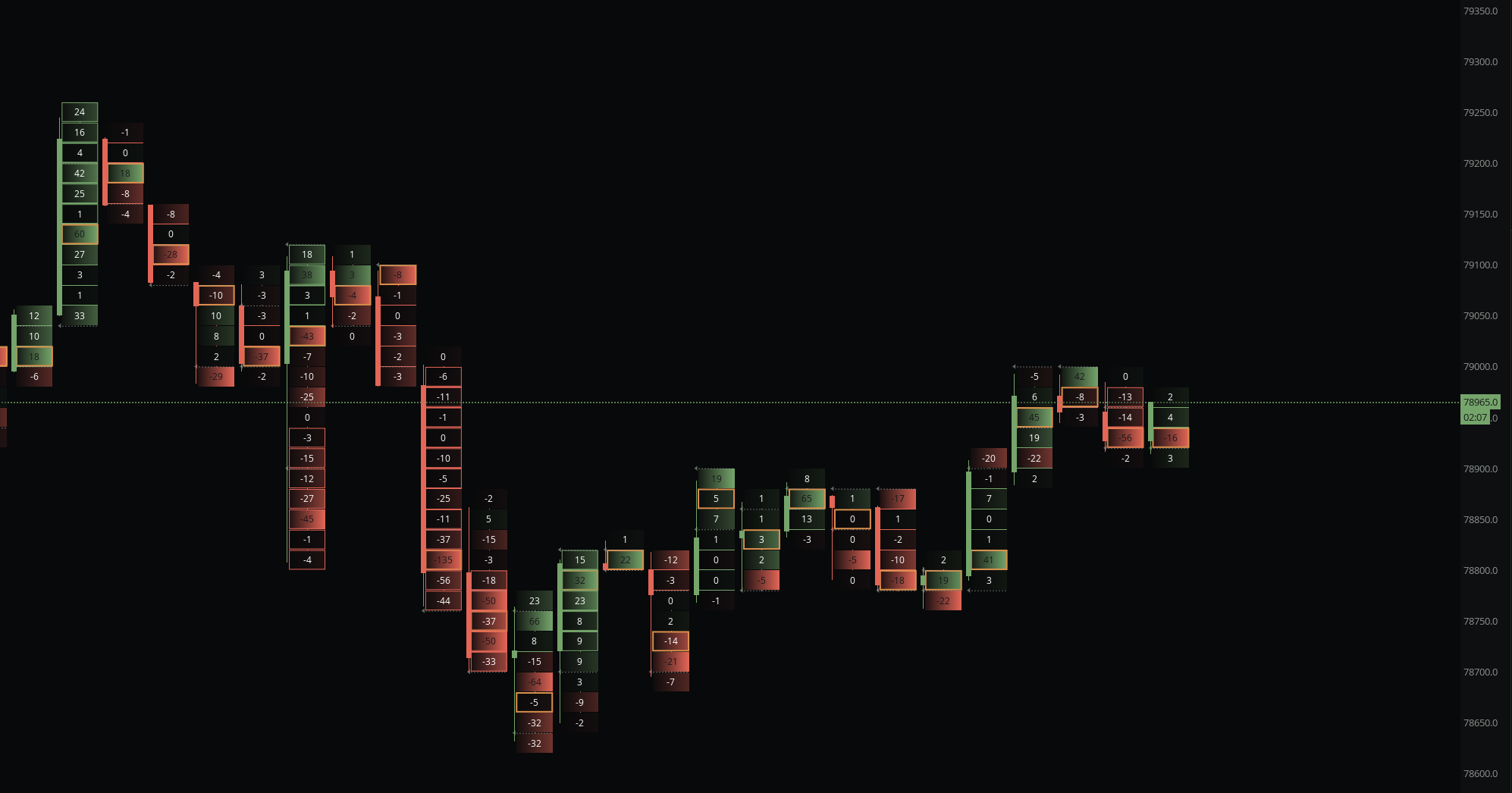
Candles show the move.
Order flow shows what's inside.
A green candle and a wall of selling can be the same bar. The footprint shows which one you are trading.
Read the market.
From every angle.
Order Flow
Footprint, CVD, delta, and the tape. See aggressive buyers and sellers bar by bar, aggregated across every exchange.
Footprint · CVD · Trade Pulse
See all →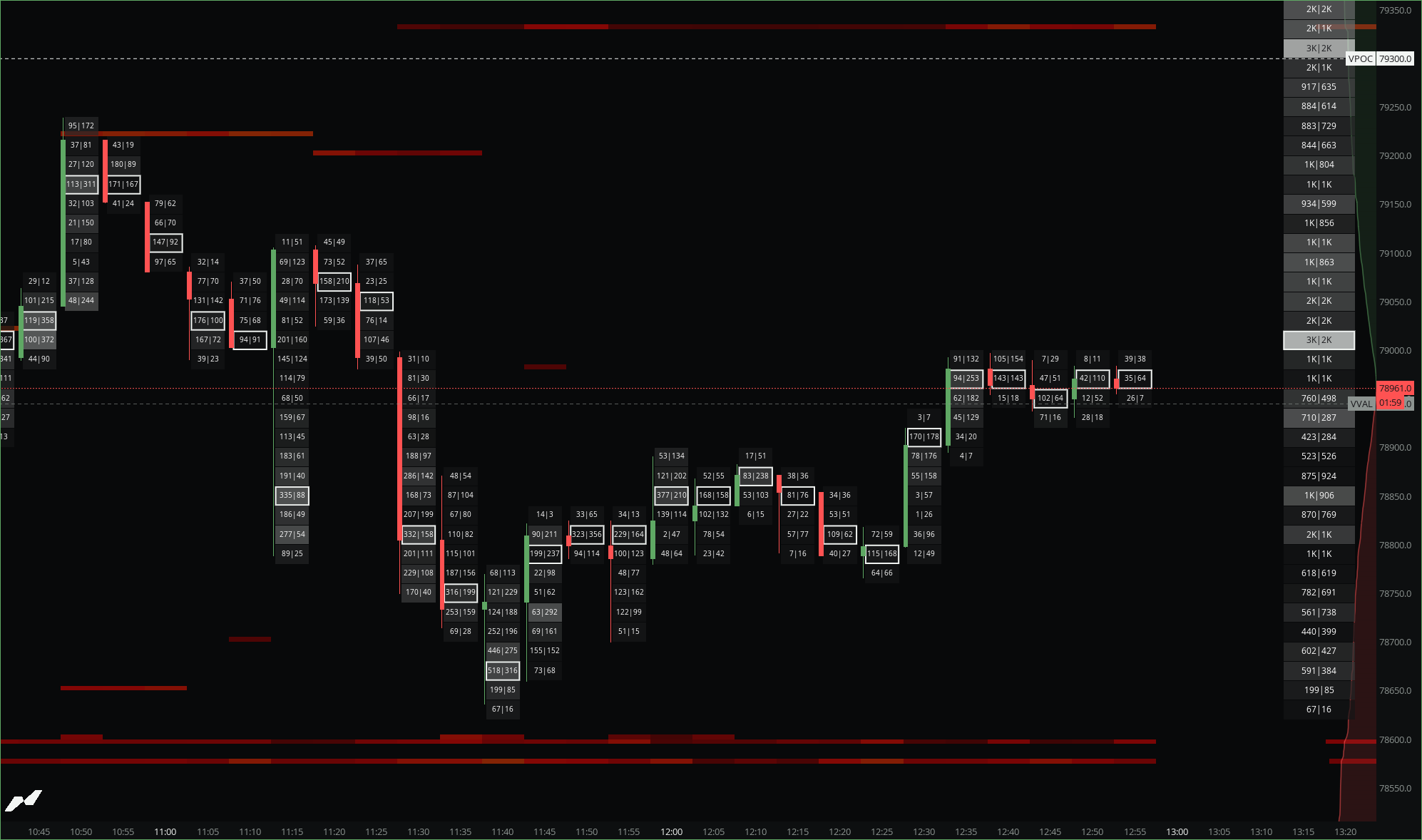
Liquidity
Order book heatmaps and liquidation maps. Watch resting size build and pull where price is headed.
OB Heatmap · Liquidation Heatmap · HL Stop/Liq Maps
See all →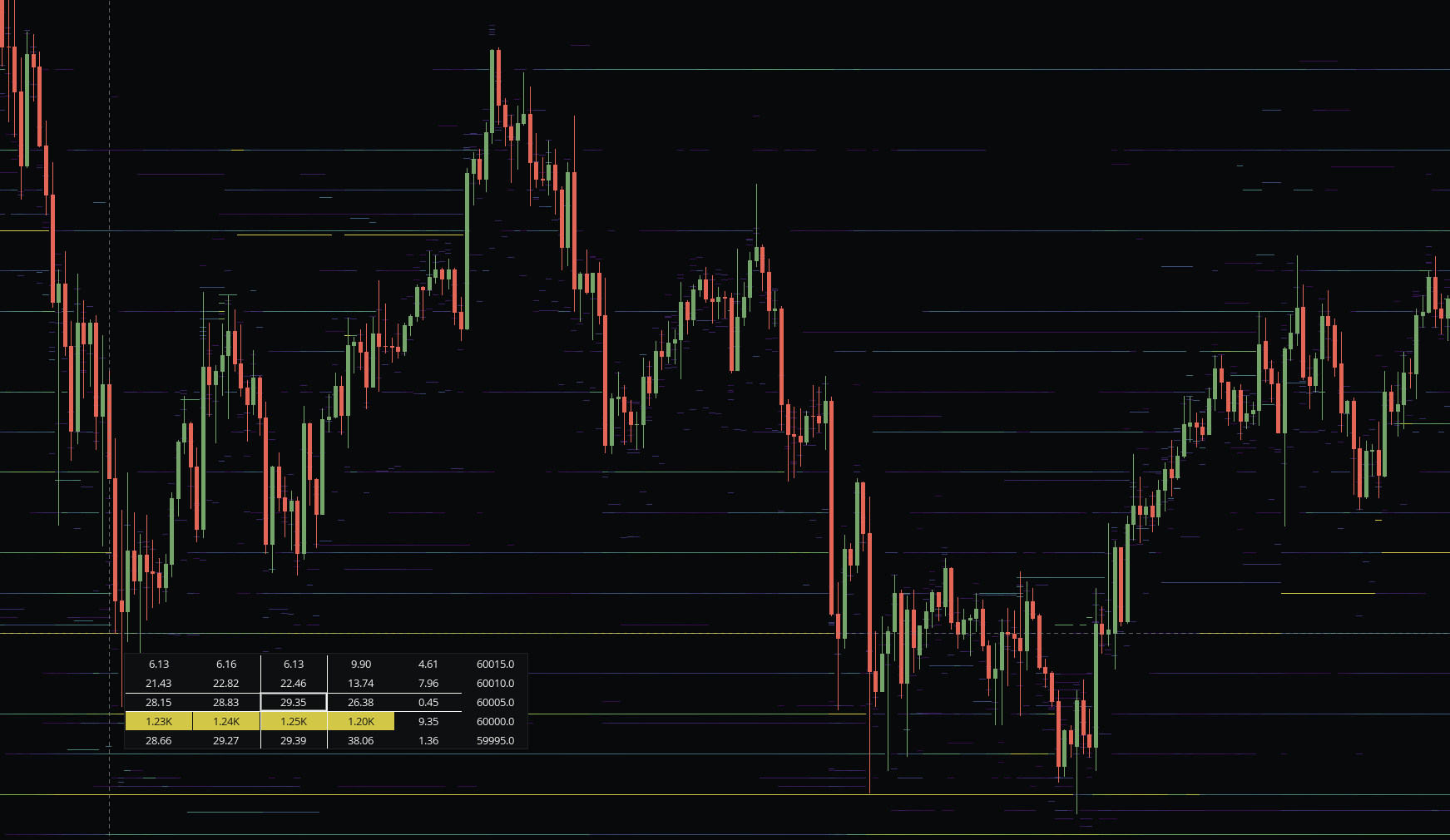
Volume + Profile
VPVR, session profiles, TPO, and anchored VWAP. Find the prices the market keeps coming back to.
VPVR · TPO · Anchored VWAP
See all →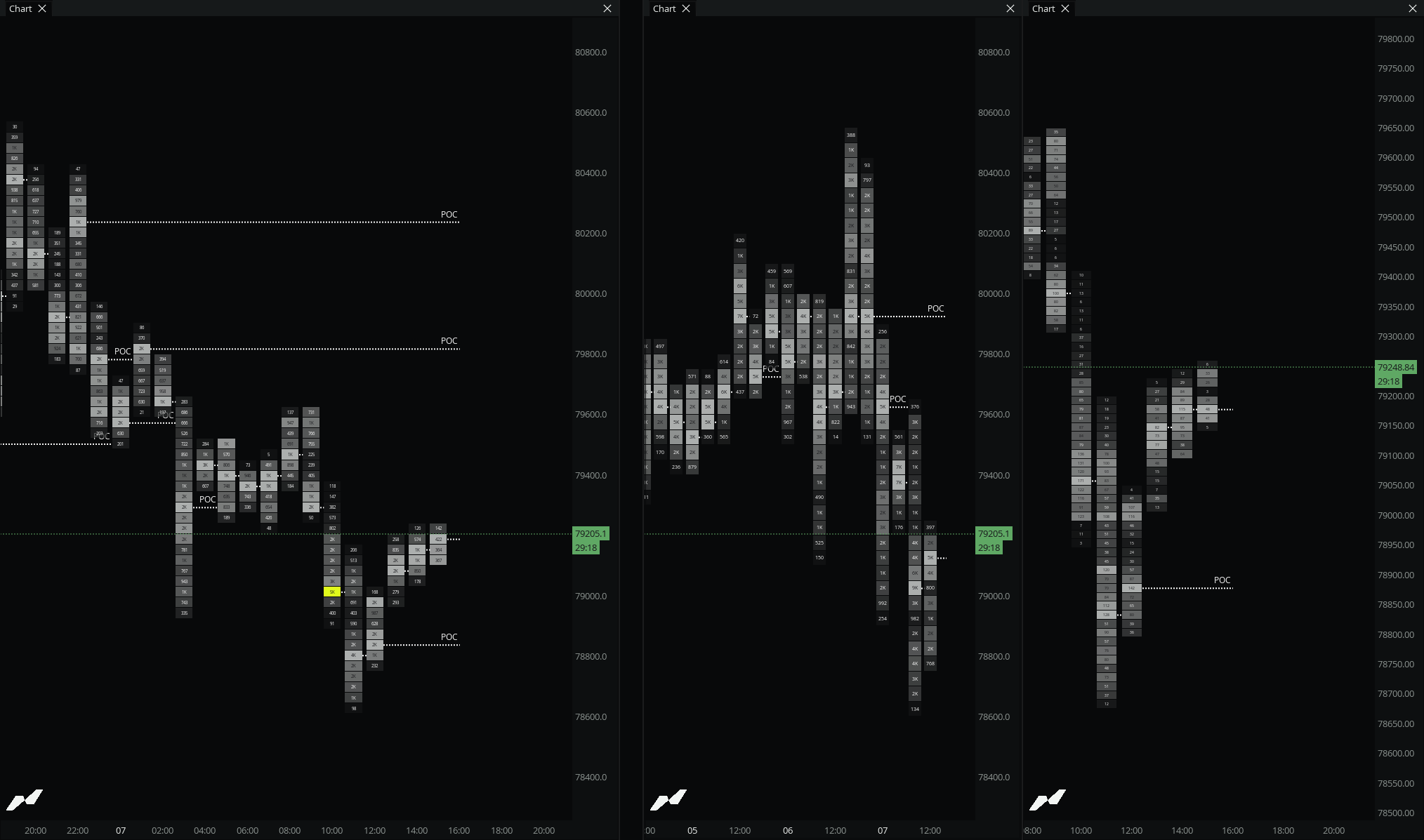
Derivatives
Open interest, funding, liquidations, and net positioning. Read forced flows and where crowded positions unwind.
Open Interest · Funding · Net Positioning
See all →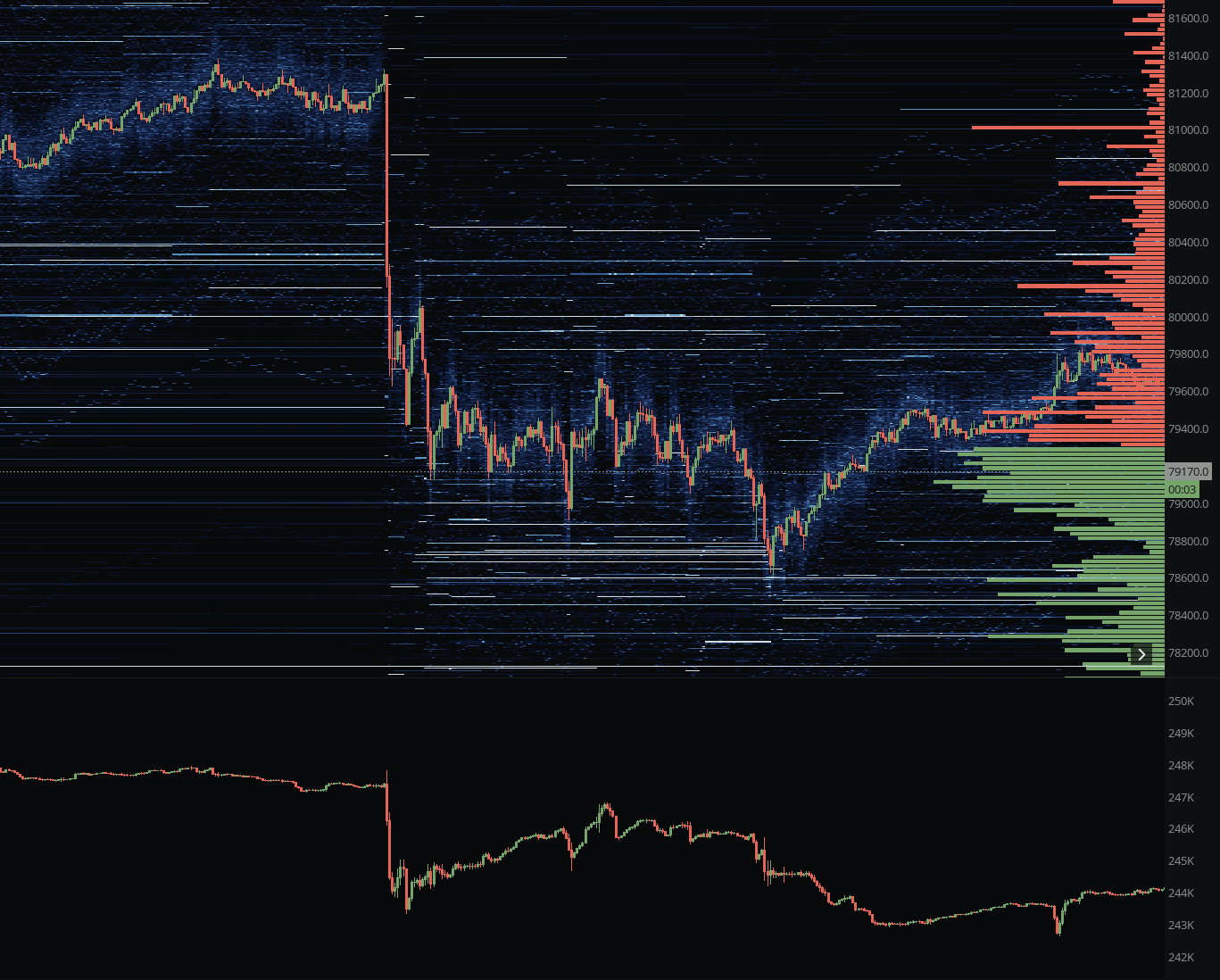
Platform + Workflow
Workspaces, alerts to Discord and Telegram, bar replay, and 19 drawing tools. Your whole desk, saved and shareable.
Workspaces · Alerts · Bar Replay
See all →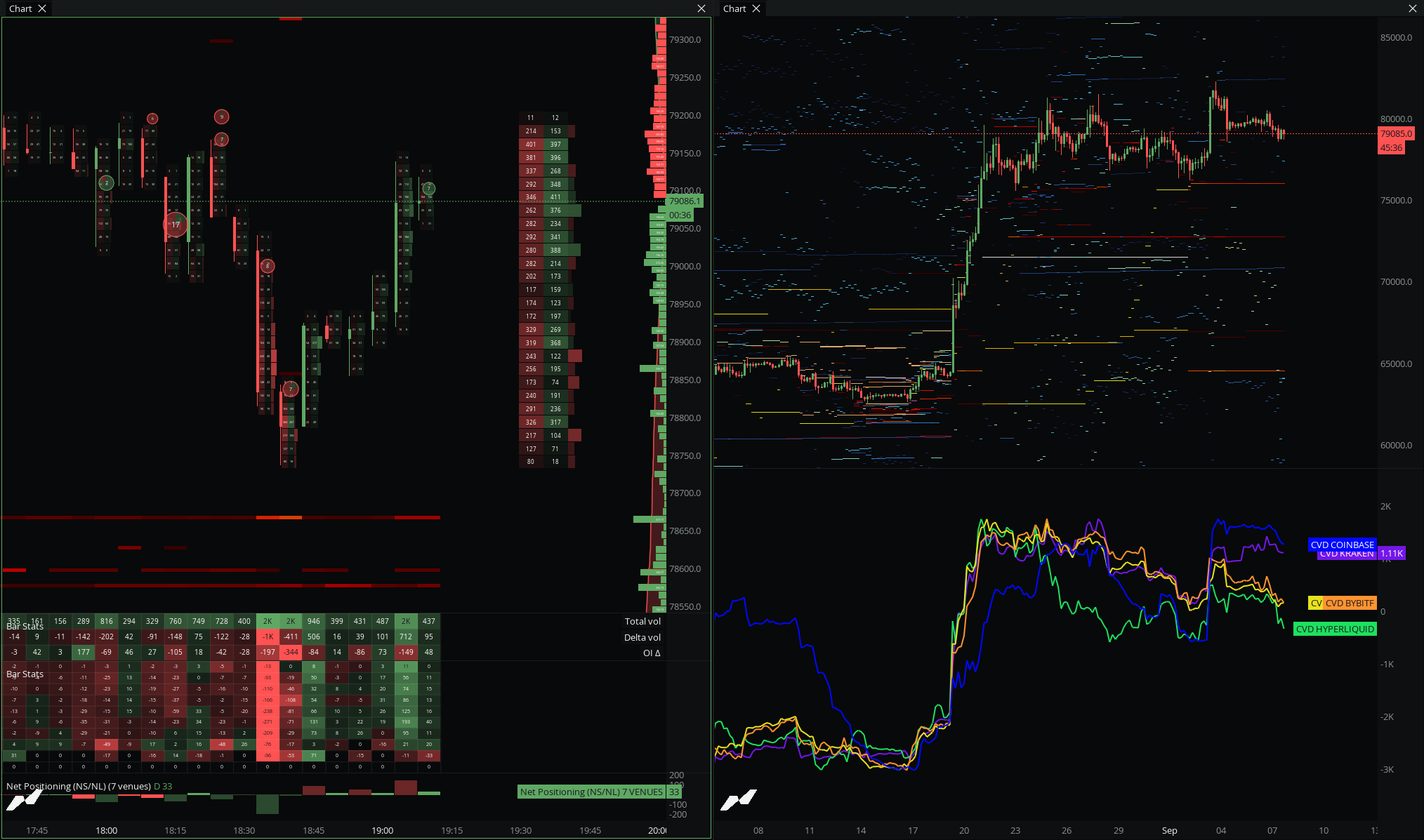
Only on MMT.
Nobody else has these.
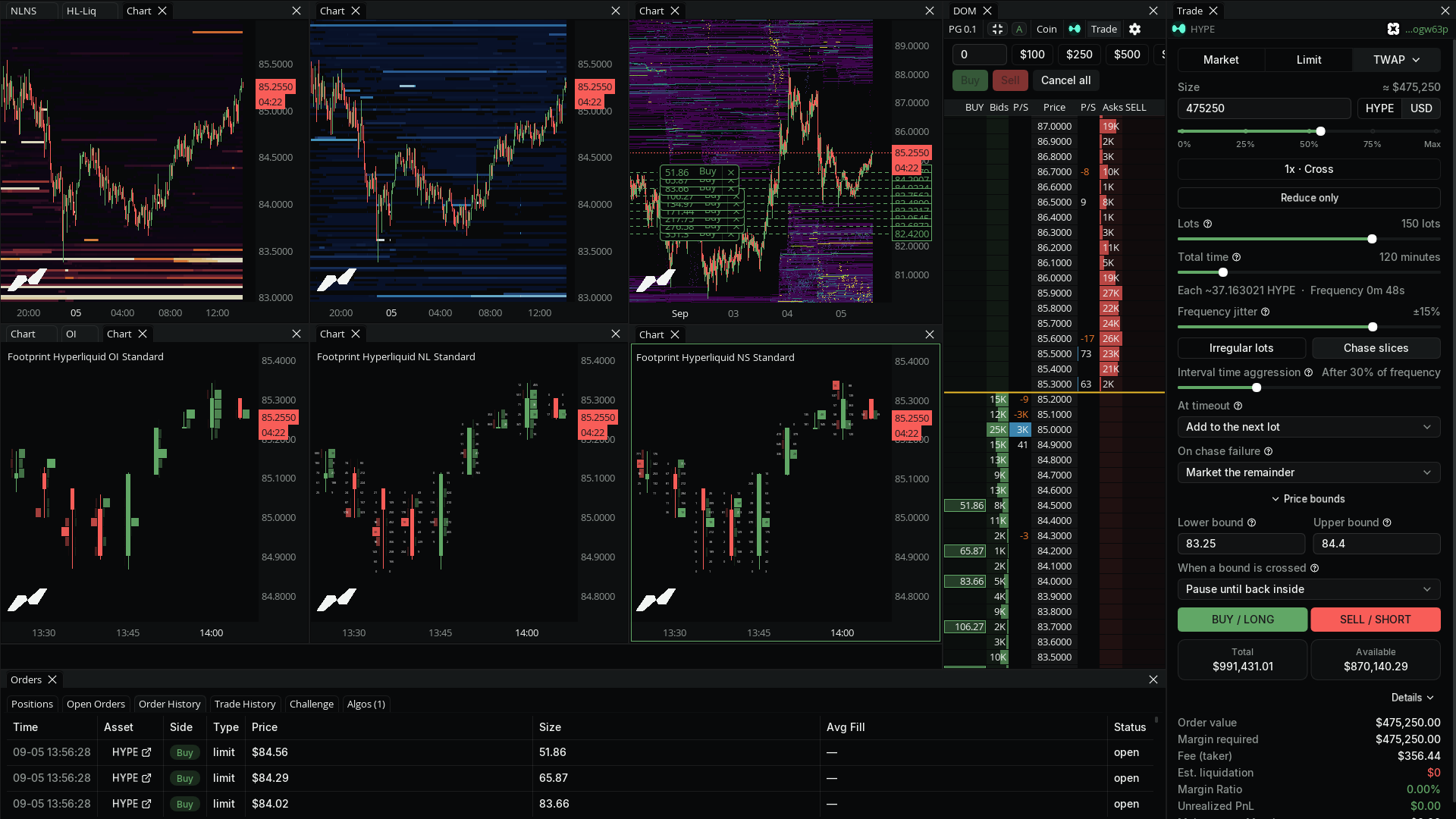
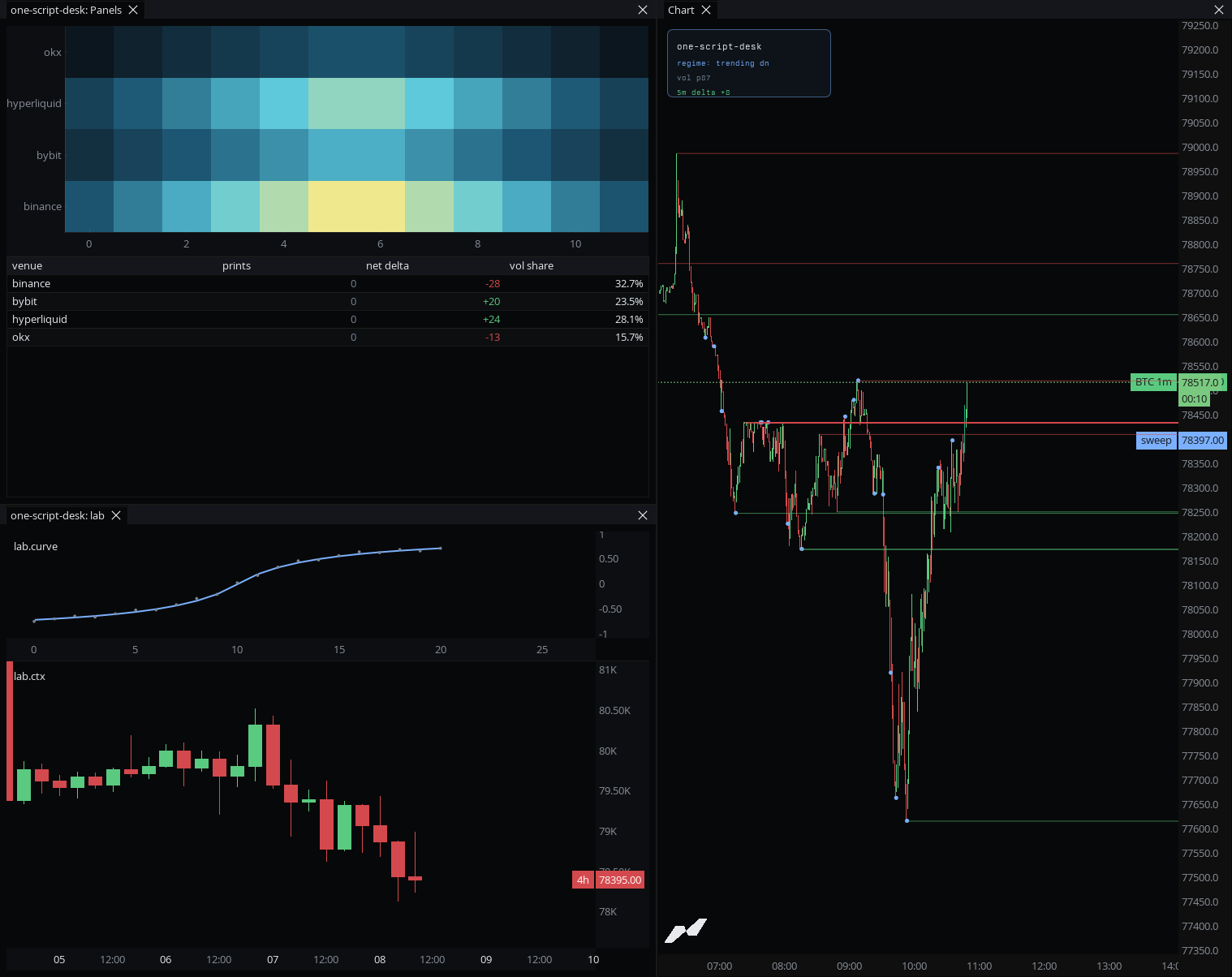
HL Stop / Liq Maps
Real resting stop-loss, take-profit, and liquidation levels from live Hyperliquid positions, not modeled from open interest.
Custom Scripting
Write your own indicators in a typed language built for order flow, on the raw book and tape.
> Set up a BTC footprint desk and write a CVD divergence script.
→workspace_set_layout2x layout applied
→widget_addchart · BTCUSD
→chart_add_layerfootprint
→script_createcvd-divergence.mmt
MCP
The only crypto order flow terminal with a native MCP server. Let an AI agent drive the terminal and build your indicators.
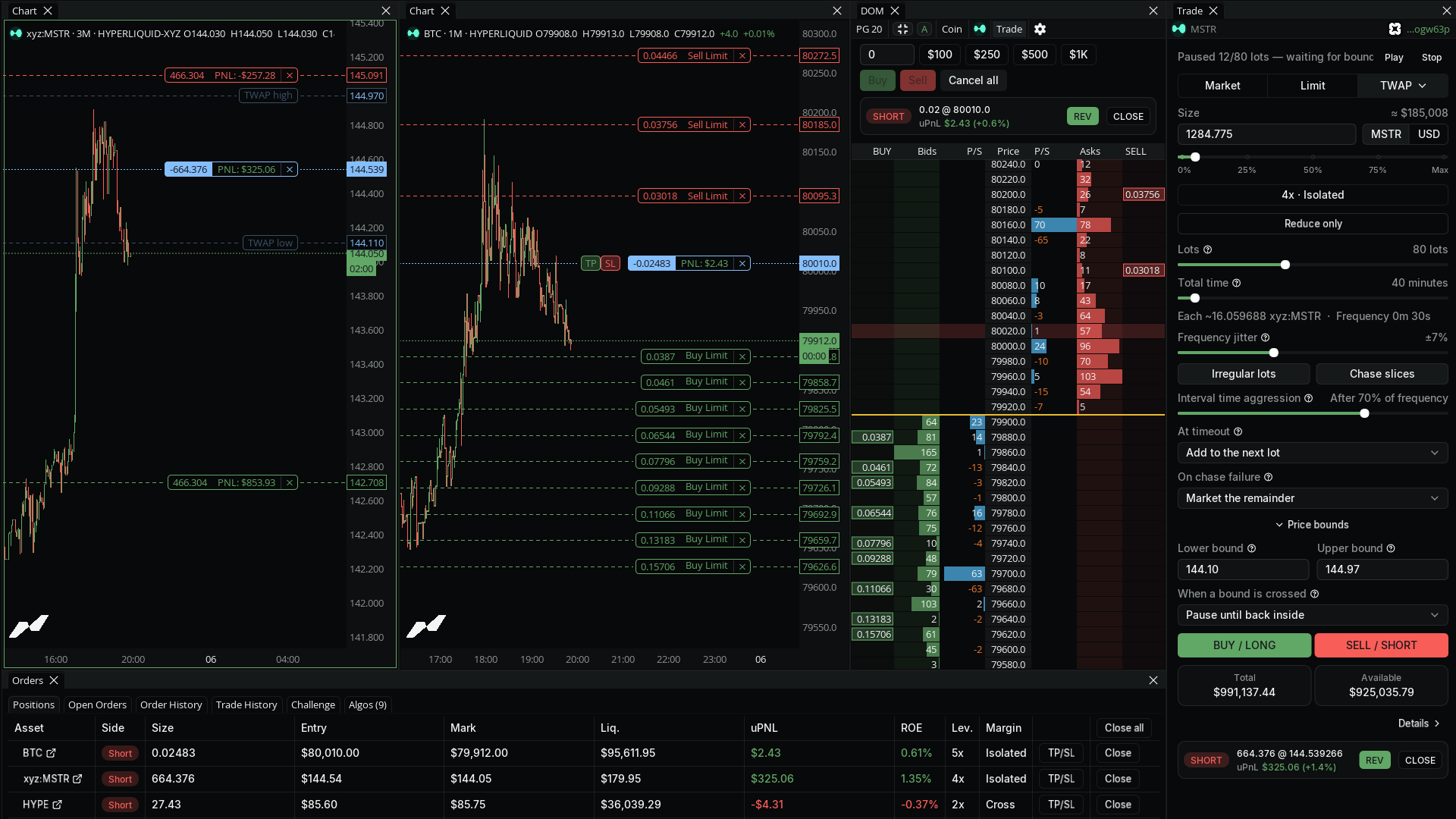
On-chart Execution
Trade Hyperliquid, Propr, and Lighter straight from the chart. Free on every plan.
Built by traders.
338 indicators. Search, star, and add community scripts to any chart, or publish your own.
Key Levels v3.2
by thetraveler
This indicator provides a clear multi-timeframe view of important market reference points, including daily, weekly, monthly, quarterly and yearly opens, highs, lows and equilibrium levels, plus previous-period, Monday and weekend ranges. It also supports completed volume-profile VAH, VAL and POC levels, customizable styling, overlapping-label merging and selected price-cross alerts. Volume-profile levels use MMT’s native scripting profile bins. Values may differ from VPSV depending on its row layout, aggregation and Value Area settings.
VWAP Suite v3
by frampo88
VWAP Suite V3 is built for traders who actually use VWAP as part of their daily market read. It brings together the main VWAP levels in one place: daily, weekly, monthly, quarterly, yearly, rolling VWAPs, session VWAPs, previous VWAP bands, standard deviations, and anchored VWAPs from previous highs and lows. The idea is simple: instead of having multiple indicators stacked on the chart, everything is organized inside one script, with full control over what you want to see and what you want to hide. The anchored VWAPs are one of the key parts of this version. They start from important previous daily, weekly, and monthly highs or lows and extend cleanly to the current price action, without historical mess or unnecessary lines behind the anchor. You can also aggregate volume from different exchanges, customize colors, labels, prices, deviations, rolling bands, sessions, and projections depending on how clean or detailed you want your chart to be. VWAP Suite V3 is made to give a clearer map of the market using VWAP structure, deviations, previous-session levels, and important anchored reference points. More info on my profile X.com/frampo88
OrderBook Pressure Bands V3
by eman
Monkey Cipher B v3
by frampo88
The original MC, brought to MMT just for you! Every part of the indicator works as the original, yes even money flow. VWAP hidden by default, you can activate it in the settings.
Net Positioning v2
by Luckshury
Combines OI & Delta to plot true positioning
Aggregated Spot Bands V3
by eman
Binance+Coinbase Spot Orderbook Aggregation.
Learn on the terminal you trade on.
Live sessions, a course library, and coach access. Included with every Pro and Ultra subscription.
Five live sessions a week
Monday's market outlook through Friday's wrap-up, with live trading at the New York open and close. Every session is recorded.
Taught on the terminal, not slides
Coaches trade real markets with footprints, heatmaps, and liquidity maps on screen, and explain each decision as it happens.
No extra tier
The Academy is included with every Pro and Ultra subscription. There is nothing else to buy after checkout.
20+ exchanges. One feed.
Spot, futures, and perps merged into a single order flow view. Add or filter venues per chart.
Traders on the terminal.
Unprompted, on X.

Eman da Man
@Eman_Da_Man_
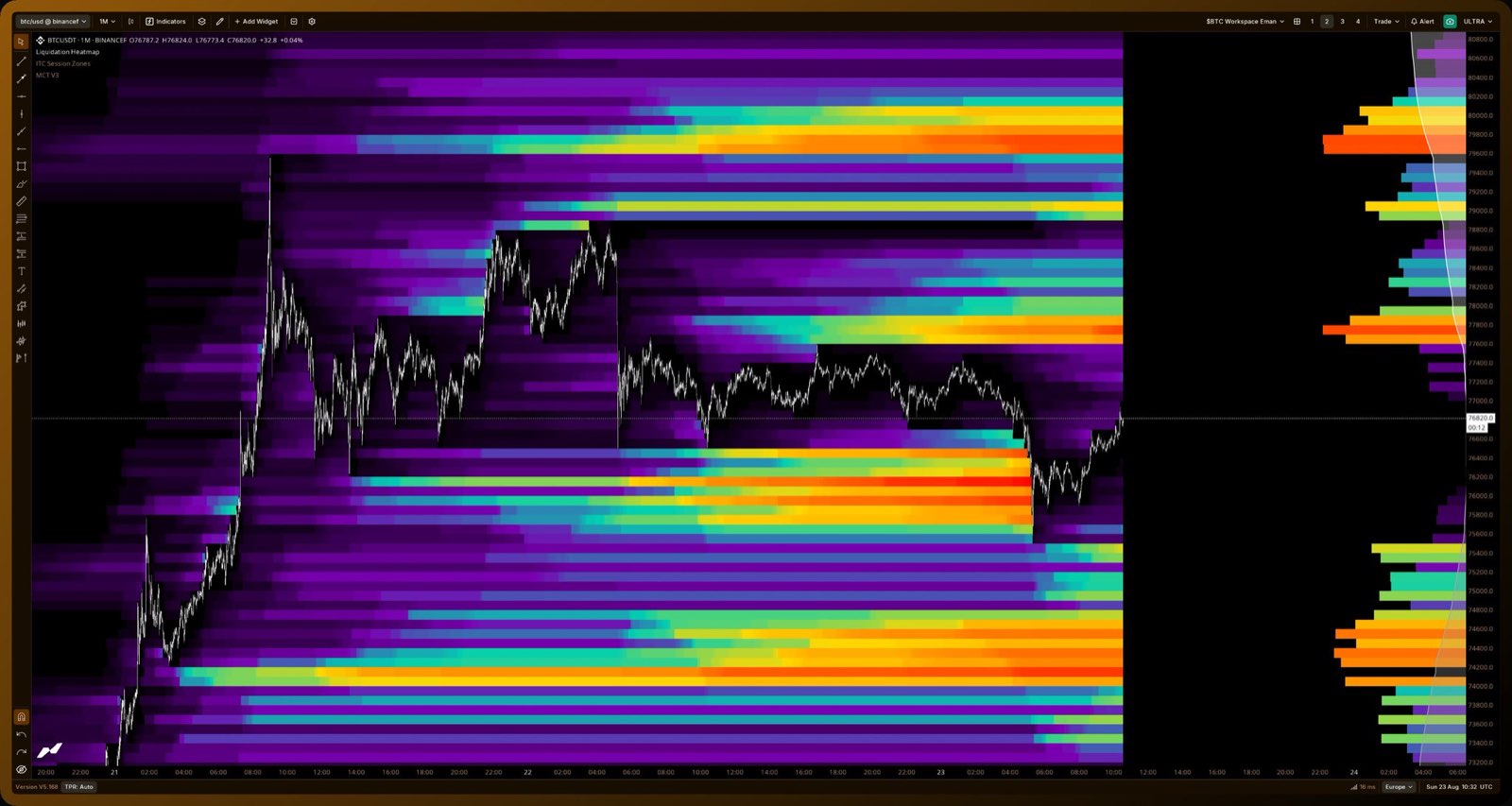
Clean range low liq grab. With the right settings MMT's liq map is very accurate.

0x_malty
@0x_malty
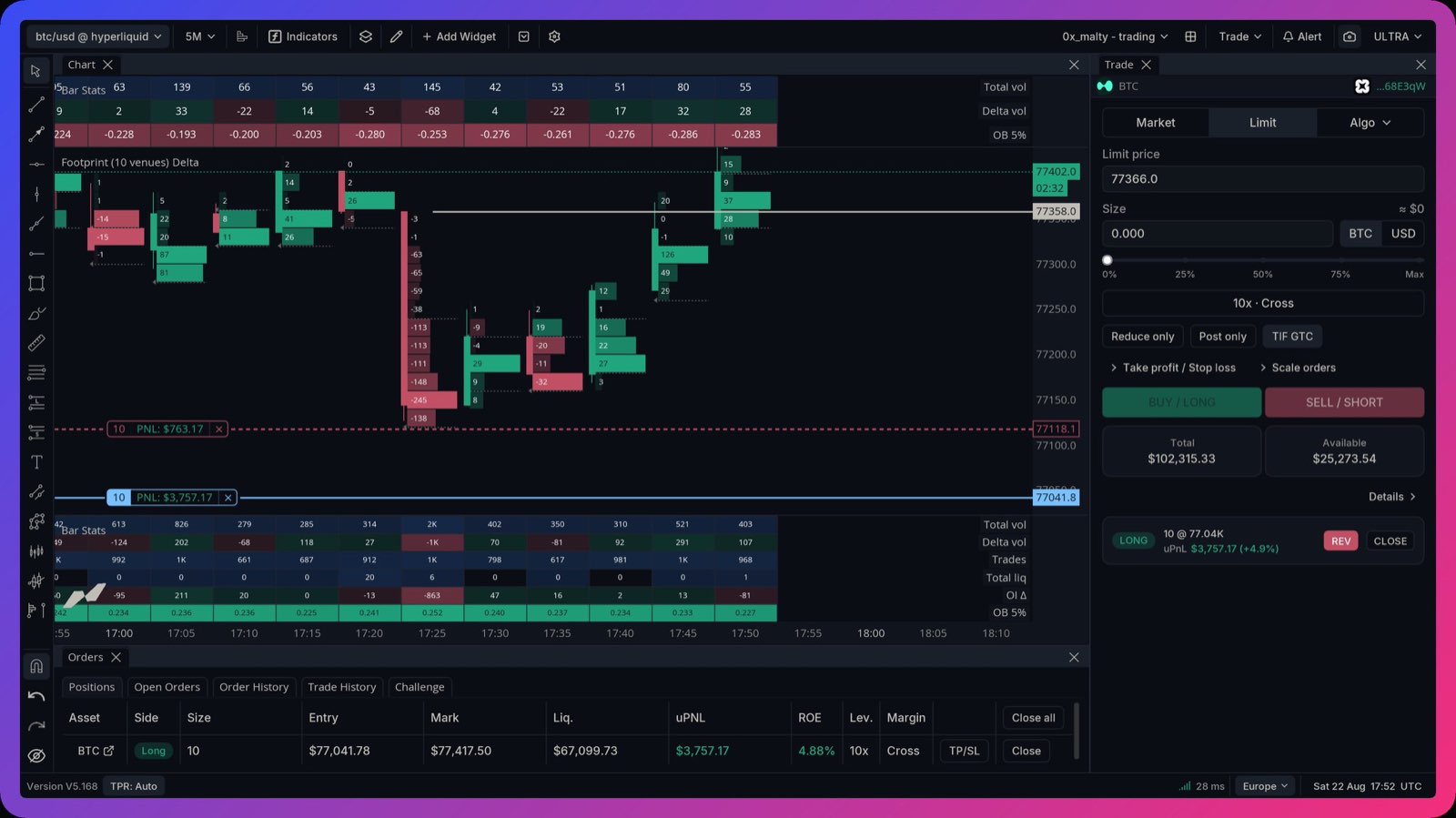
I love this integration, thanks @anthdm

Spazz ☀️
@_GrandExchange_
@anthdm you have really created something special here man, hats off to you and MarketMonkey btw 105k is being about to be served up. They keep showing up under the move up the whole way, and every dip in the "Pocket" gets bought and sent.
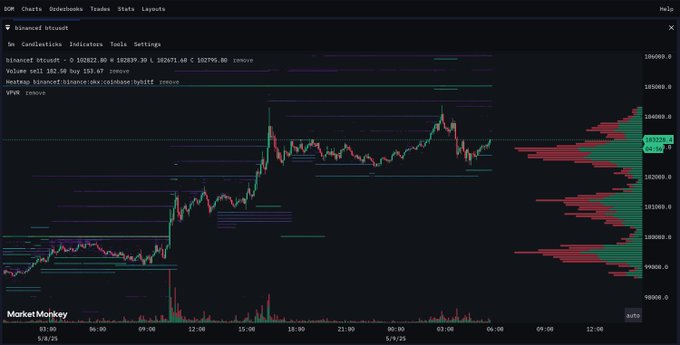

Horse
@TheFlowHorse
This guy @anthdm has done it. This is the closest thing to CryptoWatch and uhhh not to step on toes....Actually better. Like CW if it took steroids and had footprints and heatmaps, and it is extremely f*cking light. I think I just found my new dashboard. He has added a ton of
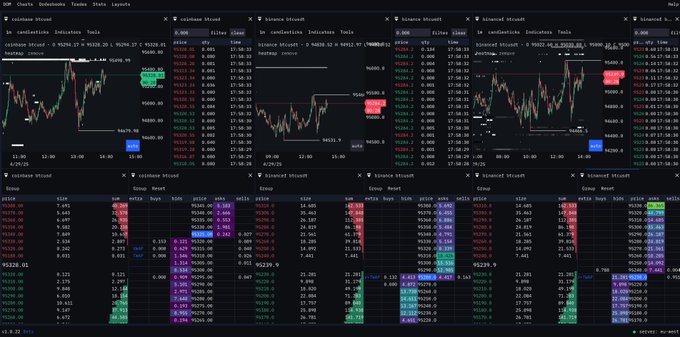

JoelXBT
@joel_sabugal
Just got hands on MarketMonkey Terminal 🧠 This thing’s insane — aggregated heatmaps, CVD, VWAP, footprints, DOM, time & sales... what else you want? Cleanest & smoothest crypto terminal I’ve touched on CT. Bet you won’t go back. app.marketmonkeyterminal.com/terminal
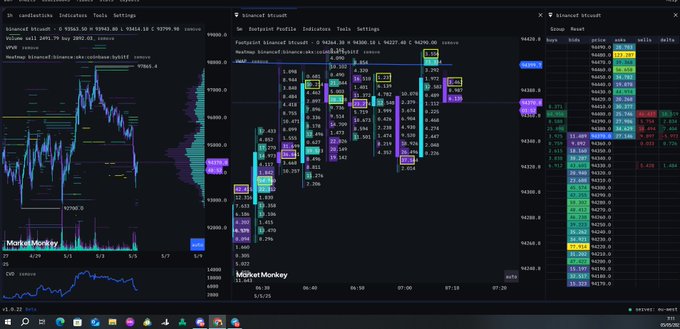

Diego Trades🐒🃏
@DieguitoCharts
Do or die here. Under 106k's $BTC is fucked up imo. BTW, been testing @MarketMonkey_ terminal of @anthdm and it's FUCKING GOOD.
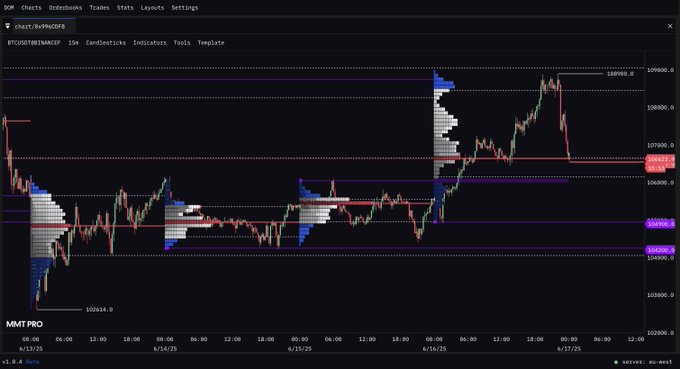

Gabriel
@gvtnomad
Ive used many OF charts and tools over the years and nothing comes close to Market Monkey Terminal. You can tell how much talent, love and dedication is being poured into these amazing charts by @anthdm Everyone should support this project. 💯
Free forever. Pro when you outgrow it.
Start free with no card. Upgrade only when you hit a limit.
Free
Kick the tires. No credit card.
$0$0/mo
forever freeforever free
- 4 Widgets
- 5 Layers per chart
- 2 Charts
- 2 Saved workspaces
- 1 Alert
PRO
Most popularFor traders who take this seriously
$69$29/mo
Billed monthlyBilled at $348
- 50 Widgets
- 20 Layers per chart
- 20 Chart templates
- 20 Saved workspaces
- 20 Alerts
- 5 Custom timeframes
- 25k Historical bars
- 5k Sub-minute bars
Enhanced edge & increased limits.
$99$42/mo
Billed monthlyBilled at $499
- 100 Widgets
- 50 Layers per chart
- 50 Chart templates
- 50 Saved workspaces
- 30 Alerts
- 20 Custom timeframes
- 50k Historical bars
- 10k Sub-minute bars
- Non-time rotation candles
Pay with crypto
Annual plans available via USDC or USDT.
Cancel anytime. No questions, no guilt trips.
Questions?
Answers.
Is MMT really free to start?+
Yes. The Free plan has no time limit and needs no card. It includes core order flow across 20+ exchanges, community indicators, and on-chart execution. You only pay if you outgrow its limits and want the higher ceilings on Pro or Ultra.
Does MMT hold my funds or need my exchange keys?+
No. To chart and analyze you connect nothing, it runs on aggregated market data. To trade, you connect a provider like Hyperliquid, and even then your keys sign orders locally and can never withdraw or move your funds.
What is order flow, and why does it matter?+
Order flow is the actual buying and selling behind each candle. A candle shows where price ended up. Order flow shows which side was aggressive and where the size traded, so a green bar built on sellers hitting every bid looks different from real buying.
How is MMT different from a normal charting tool?+
MMT is built around order flow instead of price alone: footprint, order book heatmaps, liquidation maps, and CVD, aggregated across 20+ exchanges in one feed. Most of it is native here rather than paywalled, approximated, or missing, and it all runs in the browser.
Do I need to install anything?+
No. MMT runs in your browser on any machine. Nothing to download, and your workspaces and layouts follow your login wherever you sign in.
Do I need to be an experienced trader?+
No. Start free, add community indicators, and learn as you go. Academy adds live sessions taught on the terminal, on the same tools you trade with, for Pro and Ultra members.
Are the liquidation maps real positions or modeled?+
On Hyperliquid, the stop, take-profit, and liquidation maps come from real live positions, not modeled from open interest. The general liquidation heatmap across other venues is modeled from open interest and leverage bands, the same method data sites use.